

What is Digital Signage?
[+ Digital Signage Key Benefits]
by Scala Team
What is Digital Signage? [+ Digital Signage Key Benefits]
by Scala Team
In this blog, we discuss what is digital signage, how it works, and how digital signage technology can provide solutions to improve your business operations. Here’s what you’ll learn from this blog:

What is Digital Signage?
In this digital age, technology has taken over much of the information we consume in today’s fast-paced world. How do you get your message noticed among the noise and clutter; more importantly, how can you get your customers engaged?
Information comes and goes fast, but what can make it stand out is to enhance its visibility. Long gone are the days of printed materials; in comes the emergence of digital signage as a powerful communications tool with attention-catching visuals, efficiency in delivering the message, and flexibility to adjust to the customers’ needs.
Digital Signage Defined
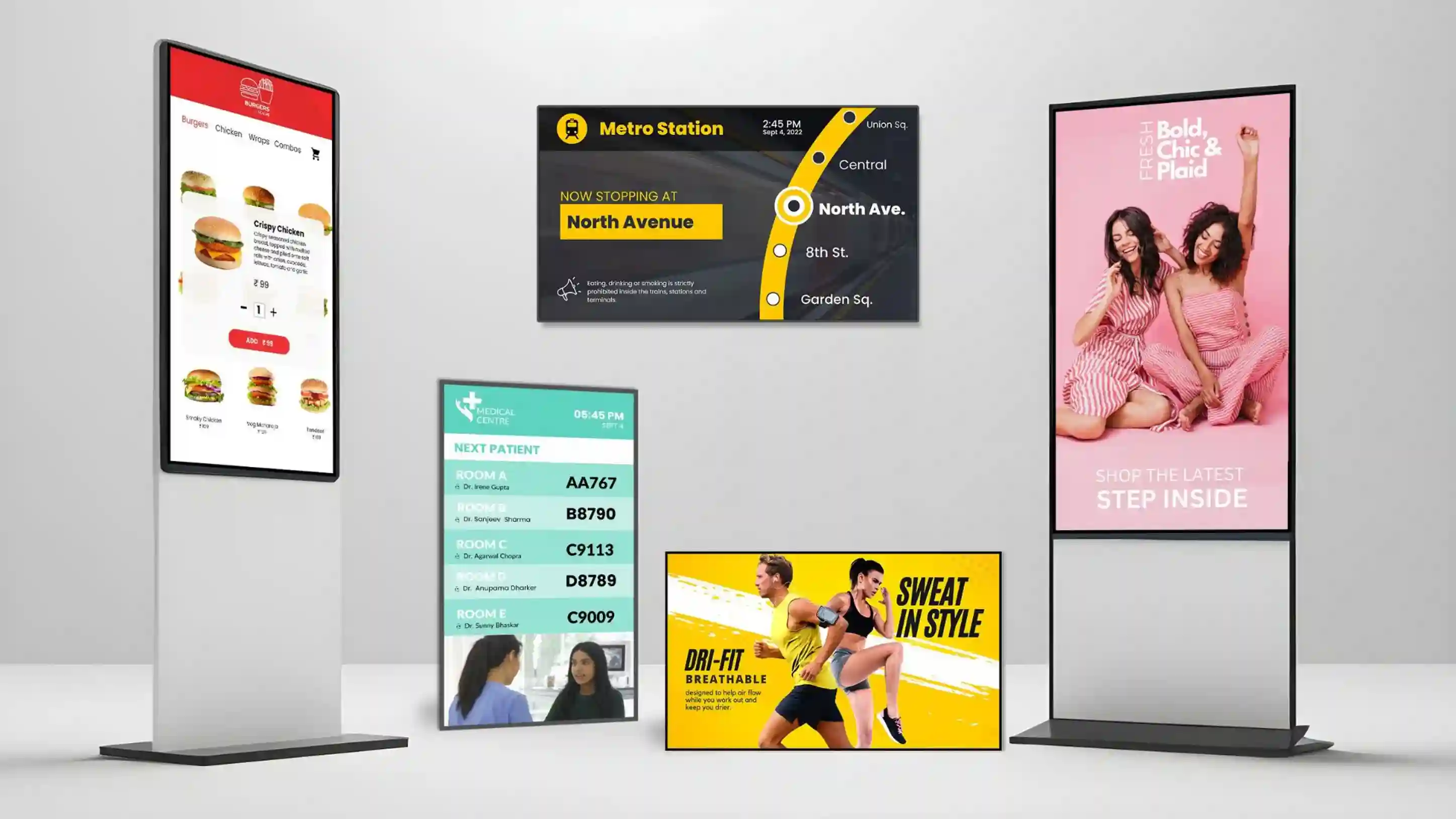
Digital signage is the use of a screen, such as LCD, LED, OLED or projector, to display multimedia content for communication or advertising purposes to a targeted audience. Content used for a digital signage is managed using a content management software (CMS) for ease and efficiency.
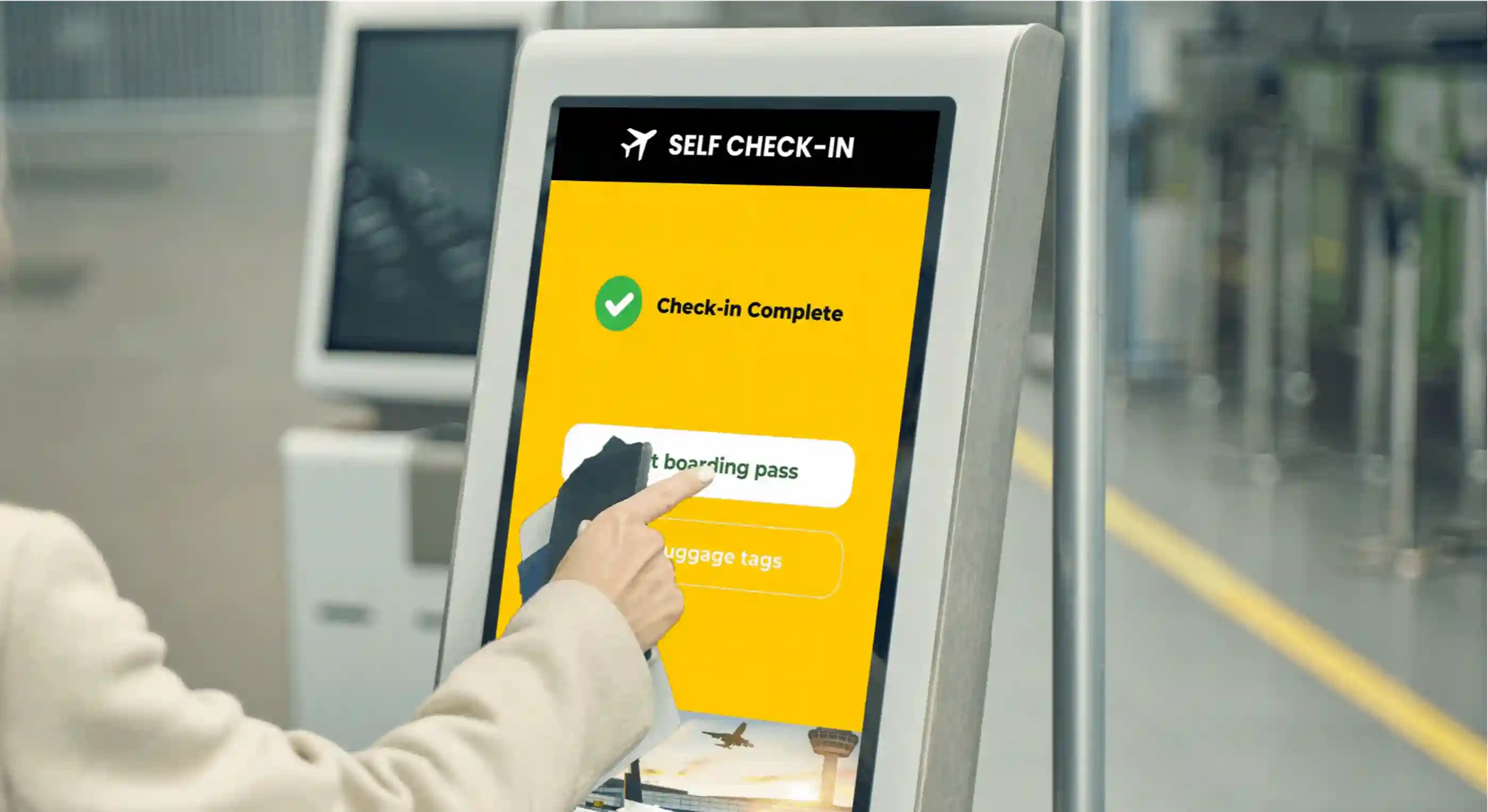
A digital signage does not just come as a display on the screen; it can also be an interactive tool that customers can immerse in for better communication. You see them as kiosks in retail stores, malls, leisure parks, and healthcare facilities to provide assistance, digital menu boards at hotels and restaurants, electronic media boards on highways, in corporate settings, educational and religious institutions, transport hubs and commercial areas to keep customers informed and engaged.
Digital Signage Technology
Imagine a time when changing a signage means redoing an art material, printing and cutting to size, and manually installing the signage – a process that easily takes days. With digital signage technology, displaying an artwork wouldn’t take more than a few minutes with just a few clicks in the system.
Digital signage technology sounds rather complex, but is actually made up of a network of displays centralized in a digital signage software that enables maintenance, management and control of content.
The core technology behind digital signage involves a number of components that work seamlessly to display dynamic and engaging content. These are the primary factors:
- Screens and Displays
These are the visible parts of a digital signage on which information is shown. As more businesses prefer the use of digital signage, screens continue to develop and offer higher resolutions, thereby improving quality to enhance appeal. - Media Players
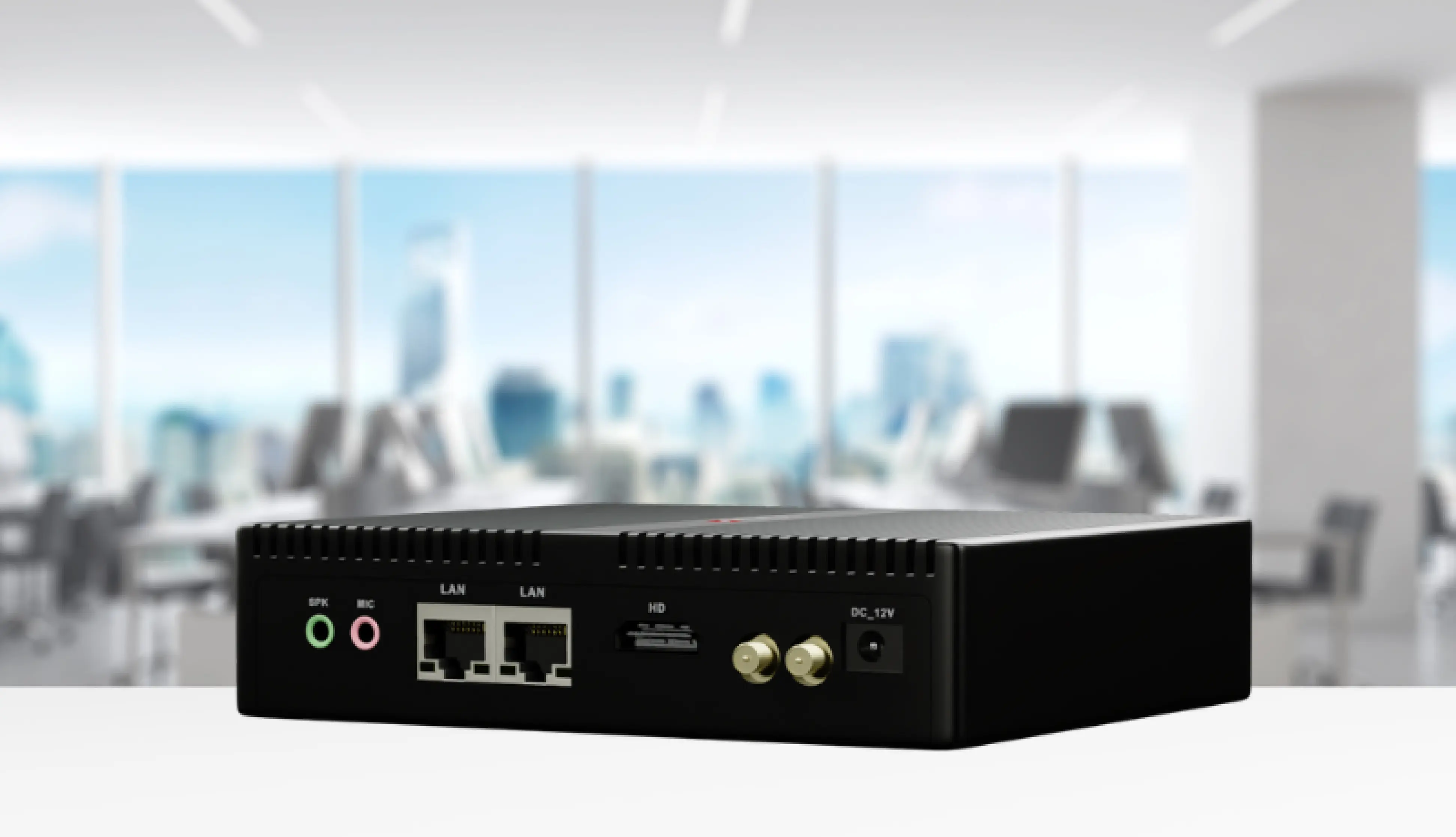
Media players are devices that are interconnected to the CMS and the screen, pulling and pushing content from one end to the other. Media players can either be built into the screen itself, or as separate units connected via a network of interfaces or ports such as USB, HDMI, or Ethernet. - Content Management Systems (CMS)
Digital signage CMS is a software that lets its user create, manage, and schedule content to be displayed instantly. - Connectivity
A digital signage needs to be connected online to function properly. Wi-Fi, wired, and cellular connections ensure that the digital signage network can be managed and updated in real-time.

Digital Signage Solutions
There is a growing number of digital signage solutions in the market, each designed to meet various business needs:
- Interactive Kiosks
Individual units usually mounted on its own, allowing users to interact with the display via touchscreen for a more engaging experience. This has been helpful across all industries, and one example are malls wherein customers can find their way to a store they are looking for in a more engaging experience. This can also make transactions more convenient and in a user-friendly manner. - Video Walls
Individual units usually mounted on its own, allowing users to interact with the display via touchscreen for a more engaging experience. This has been helpful across all industries, and one example are malls wherein customers can find their way to a store they are looking for in a more engaging experience. This can also make transactions more convenient and in a user-friendly manner. - Digital Menu Boards
Commonly used in restaurants to display menu items, prices, and promotions. These digital menu boards offer flexibility in updating content, showcasing high-quality videos or images, and can be used for upselling based on customer preferences. - Outdoor Digital Signage
Commonly used in restaurants to display menu items, prices, and promotions. These digital menu boards offer flexibility in updating content, showcasing high-quality videos or images, and can be used for upselling based on customer preferences.
Benefits of Digital Signage
Enjoy these benefits when switching to digital signage:
1
Increased Customer Engagement
Capture customers’ attention with dynamic and interactive content. You can ensure your business gets the attention of your customers by engaging them with visually stunning content.
2
Enhanced Marketing Activations
Digital signage has set the benchmark for marketing and communication efforts higher by its content management efficiency, delivering targeted messages to specific audiences at any given time.
3
Real-Time Updates and Flexibility
A big advantage of digital signage use is how content can be managed and updated in real-time, which allows businesses to adapt to any changes faster
4
Cost-Efficiency
Digital signage can be more cost-effective in the long run compared to traditional static, printed signage, as it reduces the need for printing and updating physical signs.
5
Analytics and Insights
Digital signage can also provide valuable data with its interactive features, helping businesses optimize marketing strategies.
6
Environmental-friendly and sustainable
A big advantage of digital signage use is how content can be managed and updated in real-time, which allows businesses to adapt to any changes faster
What is Digital Signage Hardware?
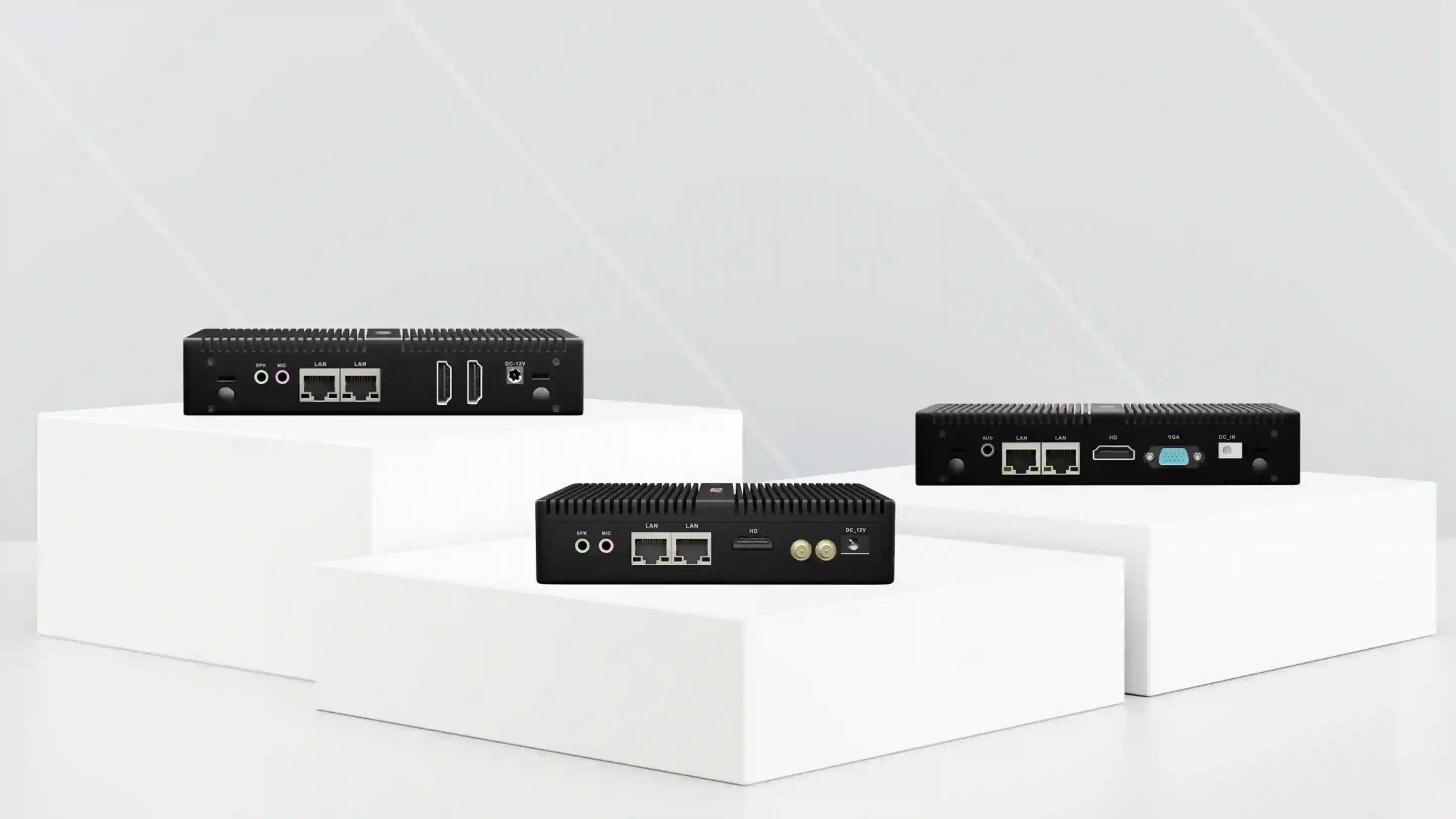
Digital signage hardware are the physical components that are used for a digital signage to function. These include:
- Displays and Screens
A digital signage needs a display or a screen on which to project the information. There are different types of displays that can be used, such as LCD, LED, OLED screens. This technology continues to be improved, especially with resolution, brightness, energy efficiency, and quality. - Media Players
These devices come in different formats, each with their own key features to play the content on screen. Depending on the application, media players can be part of the display, or standalone units. - Mounting Solutions
A crucial part of a digital signage’s success is how well it is installed. It needs to be sturdy enough to withstand the elements, whether indoor or outdoor.
Key Considerations When Choosing Hardware
What do you need to consider when choosing digital signage hardware? The following factors can help:
- Display type, size and quality
Do you prefer static images, videos or will there be touchscreen capabilities for better engagement? Choose a screen with the right specifications that can display the content in the best quality. - Environment
If displaying outdoors, opt for weather-resistance to withstand different natural elements. - Mounting Solutions
Consider where the digital signage will be displayed and ensure to have the right parts for durability, sturdiness and longevity. - Power and energy efficiency
A digital signage runs for the most part of the day, so ensure to choose hardware that will run optimally and can save energy.
What is Digital Signage Software?
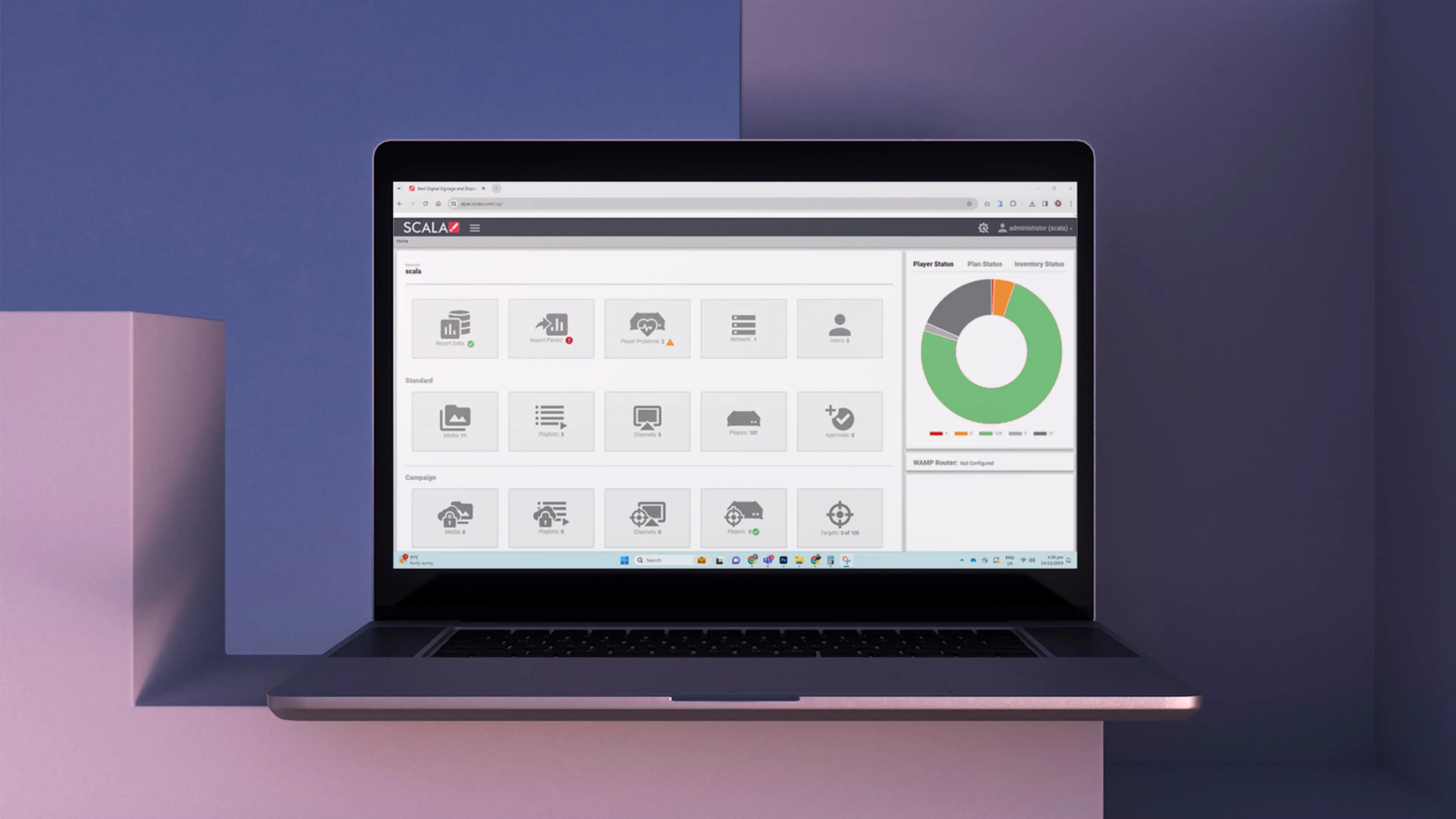
Digital signage software is the heart of a digital signage technology. This is the principal component crucial to manage, maintain and control content.
With a reliable software, these features can be done in a single system:
- Content creation and management
A digital signage software would have the tools needed to design and layout content, including features for text, images, videos, animations, even interactive elements. - Content scheduling
Once content is done and ready, you have the option to choose when and where to go live. Scheduling and how long you intend to display the content can easily be done in the system. - Remote management
The beauty of a digital signage software is the ability to manage content remotely. This is essential when there is a network of digital signages across varied locations. - Monitoring and maintenance
You can be alerted in real-time for updates on the digital signage status. This enables you to swiftly respond to any diagnostic issues that may arise, thereby preventing potential downtime. - Cost-efficiency
With above features combined, a digital signage software can greatly reduce operational costs.
What is Digital Signage CMS?
Digital signage CMS, or Content Management System, is the software used to centralize organization for digital signage systems. This is the “one-stop shop” to create, store, schedule, monitor and maintain content across a network of digital signages.
Key features of a good digital signage CMS:
- User-Friendly Interface
An interface that’s easy to use and navigate makes work more efficient, especially when managing remotely. - Content Library and Templates
Having a variety of options for content and templates simplifies content creation. - Multi-User Support
A digital signage CMS will usually have teams working on it at any given time, so having support for multiple users is a key feature to look for. - Real-Time Updates
It’s important for a digital signage CMS to be able to manage in real-time to ensure relevant information is updated in a timely manner.
Conclusion
Digital signage has elevated modern business communication in recent times, with a number of benefits that far outweigh traditional signage. By taking advantage of digital signage technology, businesses can create versatile and high-impact visual communications that capture and grow their audience.
Explore digital signage solutions that meet your business needs with Scala. Our advanced digital signage platform provides the tools and flexibility you need to create, manage, and optimize your digital signage network, helping you achieve your business objectives effectively. Reach out to us to know more and take the first step towards elevating your business communication with Scala.
Frequently Asked Questions
1. What is Digital Signage Technology?
Digital signage has elevated modern business communication in recent times, with a number of benefits that far outweigh traditional signage. By taking advantage of digital signage technology, businesses can create versatile and high-impact visual communications that capture and grow their audience.
Explore digital signage solutions that meet your business needs with Scala. Our advanced digital signage platform provides the tools and flexibility you need to create, manage, and optimize your digital signage network, helping you achieve your business objectives effectively. Reach out to us to know more and take the first step towards elevating your business communication with Scala.

2. What do you mean by digital signage?
Digital signage refers to the use of display screens to show multimedia content for informational or advertising purposes. Examples include:
- Electronic billboards on highways
- Digital menu boards in hotels and restaurants
- Interactive kiosks in malls or leisure parks
- Media boards in office buildings for internal communications
3. What can digital signage do?
Digital signage is more than just a playing out content, it can serve multiple functions, such as:
- Displaying marketing and promotions
- Providing real-time information, such as news, weather updates, and social media feeds
- Enhancing customer experience with engaging interactive content
- Guiding customers with wayfinding maps and information in large venues
- Internal communications in office environments
- Real-time emergency alerts and safety information
4. Who needs digital signage?
There are a number of industries that would benefit to have digital signage, such as:
- Retail stores for dynamic advertising and promotions
- Hotels and restaurants for digital boards for service and menu offerings
- Offices for corporate communications and employee engagement
- Hospitals for healthcare information and wayfinding
- Schools and universities for news, announcements and event information
- Transportation hubs for real-time schedules and alerts
- Entertainment venues for event schedules and promotions
5. What are the benefits of digital signage?
Key advantages of digital signage include:
- Increase in customer attention and enhanced engagement through dynamic and interactive content
- Real-time and flexible content updates
- More opportunities for brand awareness and sales through targeted advertising
- Improved customer experience with relevant and timely information
- Cost-effectiveness over time and more sustainable compared to traditional print signage
- Valuable insights to measure viewer engagement and content effectiveness

6. How does digital signage work?
Digital signage has a more efficient workflow, compared to the traditional print signage. A simple workflow looks like:
It begins with content creation A basic workflow of digital signage The basic workflow of digital signage involves:
- Content Creation: Content for digital signage can usually be created directly in the digital signage CMS, where there would be design tools and templates available.
- Content Management: Content is uploaded and stored in a digital signage CMS.
- Content Distribution: Content is scheduled and distributed to go live on various digital displays over a network system.
- Display: Content is live and shown on digital screens as scheduled.
7. What is Digital Signage CMS?
A Digital Signage CMS, or Content Management System is a software platform that enables users to create, manage, and distribute multimedia content across multiple digital displays. The CMS allows for scheduling content, monitoring display status, and updating content in real-time, ensuring efficient and effective management of digital signage networks.

8. What is Digital Signage Software?
Digital signage software is the central application used for content management. Key features often include:
- Content library and template design tools
- Scheduling of content
- Remote management to update content in different locations
- Integration with other systems (e.g., social media, data feeds)
- Analytics to track the performance of displayed content
9. What is Digital Signage Hardware?
Digital signage hardware includes the physical parts that are needed to effectively display and distribute content, such as:
- Digital screens (LED, LCD, OLED, projectors)
- Media players for storing and playing content
- Mounts and enclosures to secure the displays
- Network components (routers, cables) for connecting the system
- Sensors and interactive devices for touch screens and other interactive elements
10. What is a digital signage player?
A digital signage player, or media player, is a device where content is stored and played on digital signage displays. It can be built into the display itself, or a standalone unit connected to the digital signage CMS to receive and update content. Its features include:
- Support for different media formats (e.g. videos, images, HTML)
- Network connectivity for remote updates
- Scheduling capabilities to control when content is displayed
- Analytics to track engagement and performance
About the Author:
Scala digital signage experts share their experience and thoughts in our blog to provide practical tips and advice for real-world applications. Our team aims to offer interesting content through a variety of formats including long form articles, video logs, interviews and infographics.